Best POS Billing Software for Retail Stores (Fast Counter POS)
Elevate your store with the best POS billing software. Explore keyboard shortcuts, multiple payment modes, thermal receipts, and barcode reader compatibility.
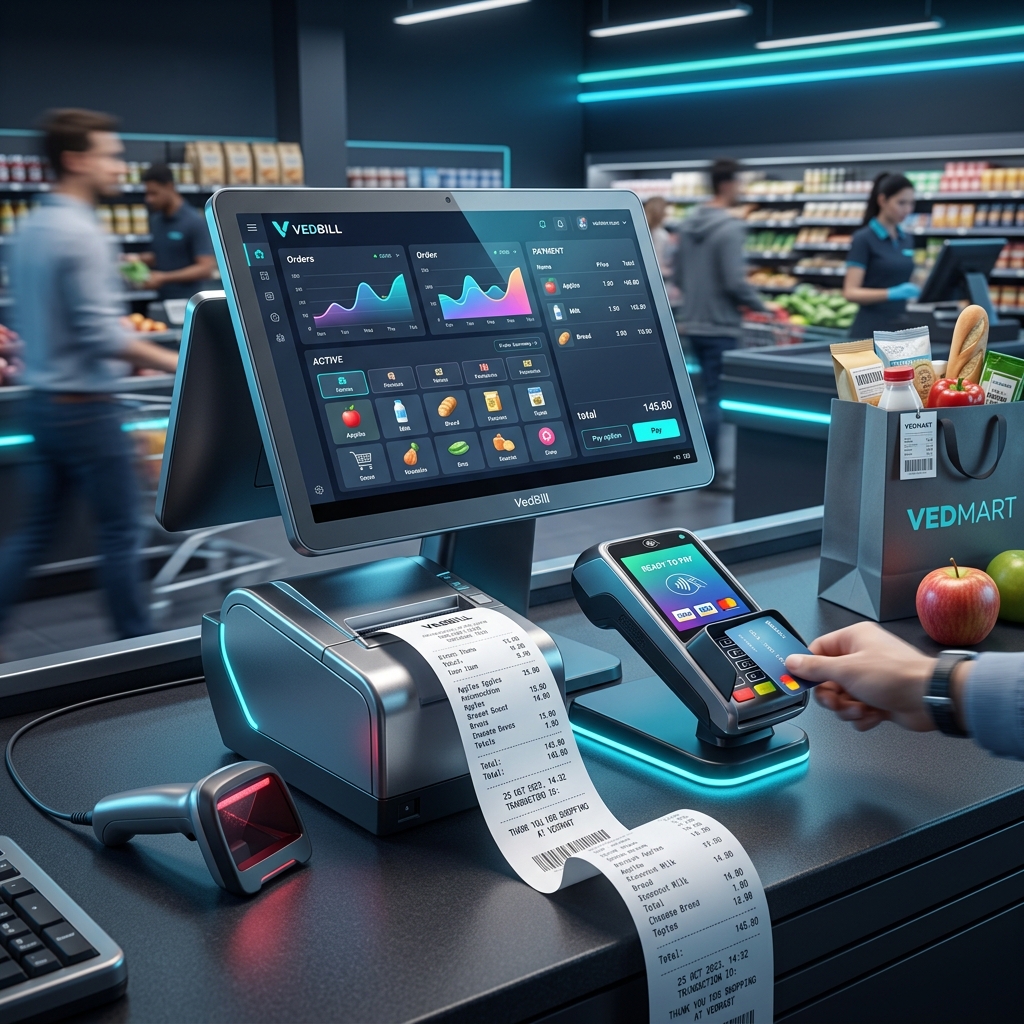
The Point of Sale (POS) counter is the most critical touchpoint in your physical retail store. It is where customer selections transform into revenue, inventory balances update, and shoppers form their final impression of your store's efficiency.
If your checkout counter is slowed down by confusing software interfaces, frozen browser screens, or misaligned thermal printers, customer satisfaction drops and sales are lost.
This comprehensive guide details the best POS billing software for retail stores, outlines high-speed checkout best practices, and explains how modern POS systems maximize counter throughput.
Direct Answer: What Is the Best POS Billing Software for Retail Stores?
The best POS billing software for retail stores is a high-speed, keyboard-driven desktop system that executes barcode lookups in milliseconds, processes multiple payment modes (Cash, UPI, Card, Split Payments), connects seamlessly with POS receipt printers and cash drawers, and operates 100% offline.
VedBill is the top-rated free POS billing software for retail stores in India. It operates natively on Windows PCs, supports all standard 2-inch and 3-inch thermal printers, features lightning-fast keyboard shortcuts, handles barcode scanning effortlessly, and provides lifetime access with zero subscription costs.
Essential Attributes of a High-Performance POS System
A commercial-grade retail POS system must excel across four critical performance areas:
1. Keyboard-First Counter Speed
Cashiers should rarely need to touch a mouse during high-volume rush hours. Every core action—searching items, modifying quantities, applying discounts, choosing payment methods, and printing receipts—should execute via quick number-pad shortcuts.
2. Universal Hardware Peripheral Integration
Your POS software must communicate directly via USB and COM ports with:
- Handheld and fixed-mount barcode scanners
- Thermal receipt printers (58mm 2-inch and 80mm 3-inch models)
- Electronic cash drawers triggered via printer RJ-11 kick-out cables
- Digital weighing scales
3. Flexible Split and Multiple Payment Modes
Modern shoppers frequently split payments—paying part of their total in cash and the remainder via UPI or credit card. POS software must record multiple tender types on a single invoice and reconcile balances accurately.
4. Continuous Offline Reliability
Retail counters cannot stop when local broadband disconnects. Native offline software ensures transactions continue smoothly regardless of internet conditions.
Step-by-Step: Achieving Sub-10-Second Customer Checkouts
Follow this proven workflow to maximize checkout velocity:
- Step 1: Cashier scans product barcodes consecutively using a handheld scanner. Each item registers in under 0.5 seconds.
- Step 2: The system calculates item totals, discounts, and applicable GST taxes automatically.
- Step 3: The cashier presses the payment hotkey (e.g., 'F2' for Cash, 'F3' for UPI).
- Step 4: The cashier enters the cash tendered amount. The software automatically displays the exact return change due.
- Step 5: The cashier presses Enter. The thermal printer prints the receipt, the cash drawer opens, and the screen clears for the next customer in under 10 seconds total.
Common POS Setup Mistakes to Avoid
- Using Consumer Desktop Inkjet Printers: Standard inkjet printers take 20–30 seconds per page and require expensive ink cartridges. Always use thermal POS receipt printers for counter billing.
- Neglecting Cashier Shift Reconciliation: Always audit opening drawer cash and closing cash collections at the end of every cashier shift to eliminate counting discrepancies.
- Operating on Cluttered General-Purpose PCs: Running heavy background apps on the billing terminal slows down scanner input. Keep the billing PC dedicated to POS operations.
Performance Comparison: Cloud Web POS vs VedBill Native Desktop POS
| Counter Performance Metric | Cloud Web POS ☁️ | VedBill Desktop POS 💻 | | :--- | :--- | :--- | | Barcode Scan Latency | 300 to 1,000 ms (network delay) | 5 to 10 ms (instantaneous) | | Operation During Net Outage| Freezes / unusable | 100% Fully functional | | Printer Spooling Speed | 3 to 6 seconds | Under 1 second | | Cash Drawer Kick Trigger | Often unreliable via browser | Direct hardware trigger | | Software Operating Costs | Monthly recurring fees | 100% Free Lifetime Access |
The VedBill Solution: Why Retail Stores Choose VedBill POS
VedBill Retail POS Software is engineered to deliver commercial counter speed without commercial software expenses:
- Completely Free Lifetime Use: No monthly subscriptions, no per-terminal licensing fees, and no bill limits. Explore our Pricing Plans.
- Windows Native Speed: Optimized for instant boot, zero latency, and responsive keyboard shortcut navigation.
- Thermal Receipt Formats: Clean 58mm and 80mm receipt templates with your store logo and UPI QR code.
Download your free copy today from our Pricing Page.
Frequently Asked Questions (FAQs)
1. Does VedBill support automatic cash drawer opening?
Yes. VedBill can send the standard kick-out pulse through your thermal printer's RJ-11 connector to open your electronic cash drawer automatically upon bill printing.
2. Can I use wireless or Bluetooth barcode scanners with VedBill?
Yes. VedBill works seamlessly with any standard USB, 2.4GHz wireless, or Bluetooth barcode scanner recognized by Windows.
3. How does VedBill assist cashiers with returning change?
When you enter the cash amount handed over by the customer, VedBill automatically calculates and displays the exact change due, eliminating cashier mental math mistakes.
Conclusion
An efficient, reliable Point of Sale system keeps checkout queues moving, prevents cashier errors, and elevates customer satisfaction. By deploying fast offline desktop software, retail stores achieve maximum counter performance with zero recurring overhead.
Supercharge your checkout counter today. Download VedBill Free and experience lightning-fast retail POS billing.
Manage Your Store with VedBill Desktop Software
VedBill is 100% free desktop billing software built for retail shops, supermarkets, pharmacies, and small businesses in India. No recurring subscriptions or expensive cloud fees.
VedBill Retail Advisory
Retail & Billing Specialist at VedBill




