Best Inventory Management Software for Retail Businesses in India
Master retail stock control: Conduct inventory audits without closing your shop, eliminate shrinkage, set reorder points, and maximize cash flow with VedBill.

In retail commerce, profit margins are won or lost in how effectively you manage stock. Retailers who carry too much inventory suffer from locked-up working capital, damaged packaging, and expired goods. Conversely, retailers who carry too little inventory face stock-outs, disappointed customers, and forfeited sales revenue.
Traditional Indian retail practices—such as estimating stock by looking at shelves or shutting down the store for three days during annual inventory counts—are inefficient and costly in today's competitive retail landscape.
This comprehensive guide details the best inventory management software for retail businesses, explains modern stock auditing methodologies, and shows how automated inventory tracking maximizes retail cash flow.
Direct Answer: What Is the Best Inventory Management Software for Retail Businesses?
The best inventory management software for retail businesses is a real-time stock tracking system that automatically deducts inventory upon billing, updates cost prices upon distributor purchase entry, alerts owners to low stock levels, and provides detailed stock valuation reports.
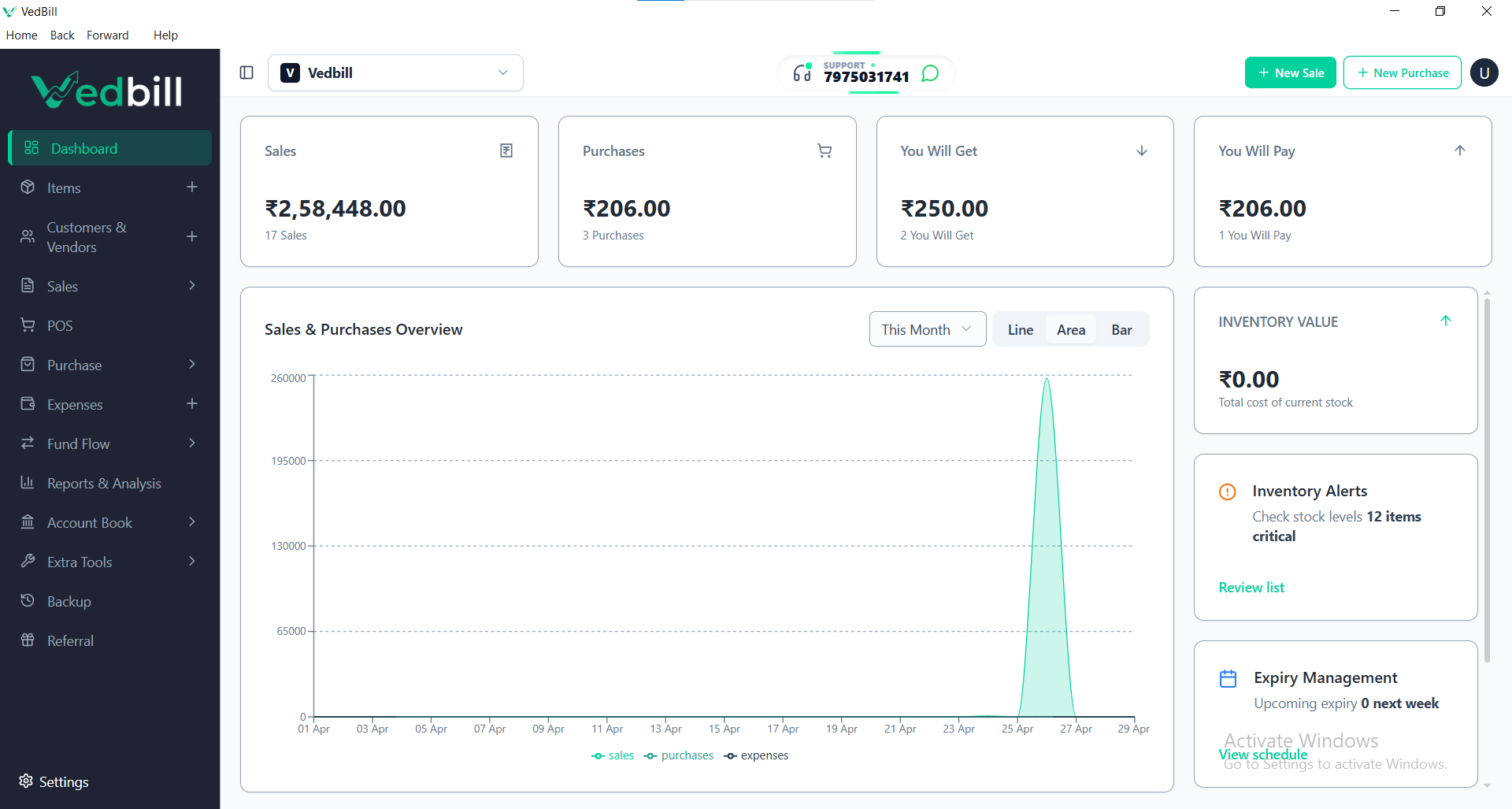
VedBill is widely regarded as the premier free inventory management and billing software for Indian retail stores. It operates 100% offline on Windows PCs, updates stock balances in real time, manages reorder thresholds, identifies slow-moving dead inventory, and charges zero recurring subscription fees.
The Four Golden Rules of Modern Retail Inventory Control
- Rule 1: Real-Time Counter Synchronization: Every transaction at the checkout counter must deduct stock balances immediately. Delays between billing and stock updates cause inventory records to fall out of sync.
- Rule 2: ABC Stock Categorization: Categorize inventory into Class A (high-value, fast-moving items requiring weekly tracking), Class B (moderate-value items), and Class C (low-value bulk items requiring monthly monitoring).
- Rule 3: Safety Stock and Automated Reorder Points: Never wait until an item reaches zero on the shelf before ordering from suppliers. Establish automated reorder triggers that account for distributor lead times.
- Rule 4: Weekly Rolling Cycle Counts: Audit small sections of your store weekly rather than shutting down the business for massive annual counts.
Essential Features of Retail Inventory Software
Verify these vital stock control features before selecting software for your retail business:
1. Automated Real-Time Stock Deduction
Sales reduce stock counts immediately; customer returns and distributor purchase entries replenish balances with full audit history.
2. Low-Stock Alert Dashboard
The software should display a dedicated warning panel highlighting products that have breached their minimum safety stock levels, enabling you to generate distributor purchase orders in minutes.
3. Comprehensive Purchase Invoice Entry
Log supplier purchase bills with purchase rates, batch numbers, item quantities, discounts, and GST taxes. The software automatically recalculates current stock quantities and tracks historical cost price trends.
4. Dead Stock and Slow-Mover Identification
Identify products that have not generated sales in 30, 60, or 90 days. This allows you to launch targeted clearance discounts or bundle slow items with fast-moving goods to release trapped capital.
5. Multi-Branch and Multi-Warehouse Readiness
For growing retailers with multiple storage godowns or branch counters, tracking transfers between locations prevents stock imbalances.
Step-by-Step: Conducting an Audit Without Closing Your Shop
- Step 1: Choose a Specific Category: Select one manageable category for the day (e.g., Cooking Oils or Detergents).
- Step 2: Generate System Stock Report: Print a current stock balance sheet for that specific category from VedBill.
- Step 3: Count Physical Shelf Stock: Count the physical units on shelves and in the backroom.
- Step 4: Identify and Investigate Discrepancies: Compare physical numbers against software records. If physical stock is lower, investigate potential causes: unrecorded breakage, theft, or missed purchase entries.
- Step 5: Apply Stock Adjustments: Use VedBill's stock adjustment tool to align system balances with physical counts, recording the reason for audit compliance.
Common Retail Inventory Mistakes to Avoid
- Buying in Excess Solely for Distributor Discounts: Purchasing a six-month supply of an item just to receive a 3% distributor discount locks up working capital and increases the risk of damage or expiry.
- Failing to Log Damaged Goods: When items leak, break, or expire, staff often throw them away without logging a wastage entry. This leaves phantom inventory in your database.
- Neglecting Seasonal Demand Shifts: Failing to adjust minimum reorder levels ahead of festive seasons (such as Diwali or regional festivals) leads to severe stock-outs during peak shopping periods.
Comparison: Manual Stock Register vs VedBill Inventory POS
| Operational Task | Manual Paper Register 📖 | VedBill Integrated POS 💻 | | :--- | :--- | :--- | | Stock Deduction | End-of-day manual tallying | Instantaneous on every bill | | Reorder Warning | Discovered when shelf is empty | Automated low stock alerts | | Stock Valuation | Days of manual calculator math | 1-Click automated valuation report | | Dead Stock Identification| Relies on memory and guesswork | Automated 30/60/90 day reports | | Software Operating Cost| Paper ledger costs | 100% Free Lifetime Access |
The VedBill Solution: Why Indian Retailers Rely on VedBill for Stock Management
VedBill Desktop Software integrates billing and inventory control into a unified, high-performance platform:
- 100% Free Lifetime Ownership: No monthly subscription fees, user limits, or charges for adding items. Explore our Pricing Plans.
- Offline Stability: Manage stock and generate bills without internet connectivity, eliminating cloud sync delays.
- Comprehensive Stock Reports: Real-time stock ledgers, low stock alerts, dead stock identification, and profit margin analysis.
Download your free copy today from our Pricing Page.
Frequently Asked Questions (FAQs)
1. Does VedBill support bulk product import via Excel?
Yes. You can import your entire product catalog—including item names, categories, cost prices, selling prices, barcodes, and opening stock—using a simple Excel template.
2. Can I track inventory across different categories and brands?
Yes. VedBill allows you to organize products into custom categories, sub-categories, and brands for detailed inventory reporting.
3. How does VedBill handle stock valuation?
VedBill calculates inventory valuation using both purchase cost and retail selling value, giving you a clear picture of total working capital tied up in stock.
Conclusion
Disciplined inventory management is the single most effective way to eliminate waste, stop stock-outs, and maximize cash flow in retail trade. By adopting automated offline desktop software, retail store owners gain complete visibility over every rupee invested in stock.
Take control of your retail inventory today. Download VedBill Free and optimize your store stock effortlessly.
Manage Your Store with VedBill Desktop Software
VedBill is 100% free desktop billing software built for retail shops, supermarkets, pharmacies, and small businesses in India. No recurring subscriptions or expensive cloud fees.
Inventory Strategy Advisory
Retail & Billing Specialist at VedBill